
ABI Dullwave
Cheats Solutions
View details about this product and browse all the available options.
-
10,000+Products Sold
-
4.9/5 from 500+ reviews
ABI Dullwave
Undetected
Requirements
- Supported Windows Versions: 10 - 11 (24H2 Not Supported)
- Supported CPU: Intel + AMD
Aimbot
- Enabled – Turn the aimbot on or off.
- Activation Key – Choose a keybind to activate the aimbot.
- Target Bone – Select which body part the aimbot aims at.
- FOV – Adjust the size of the aimbot’s aiming area.
- Draw FOV – Display the aimbot’s targeting area as a circle.
- FOV Color – Set the color of the FOV circle.
- Smooth – Control aim smoothness; higher values = slower, more human-like movement.
- Dynamic Smooth – Adjust aim smoothness dynamically based on the situation.
- Aim Lock – Keep the aim locked on the target until it’s eliminated or you stop firing.
- Humanize – Add natural, human-like aim movements to reduce detection.
- Visible Check – Only aim at visible targets (ignores enemies behind walls/objects).
- Target Players – Enable targeting of human players.
- Target Bots – Enable targeting of AI bots.
- Draw Snapline – Draw a line from your crosshair to the current target.
Player ESP
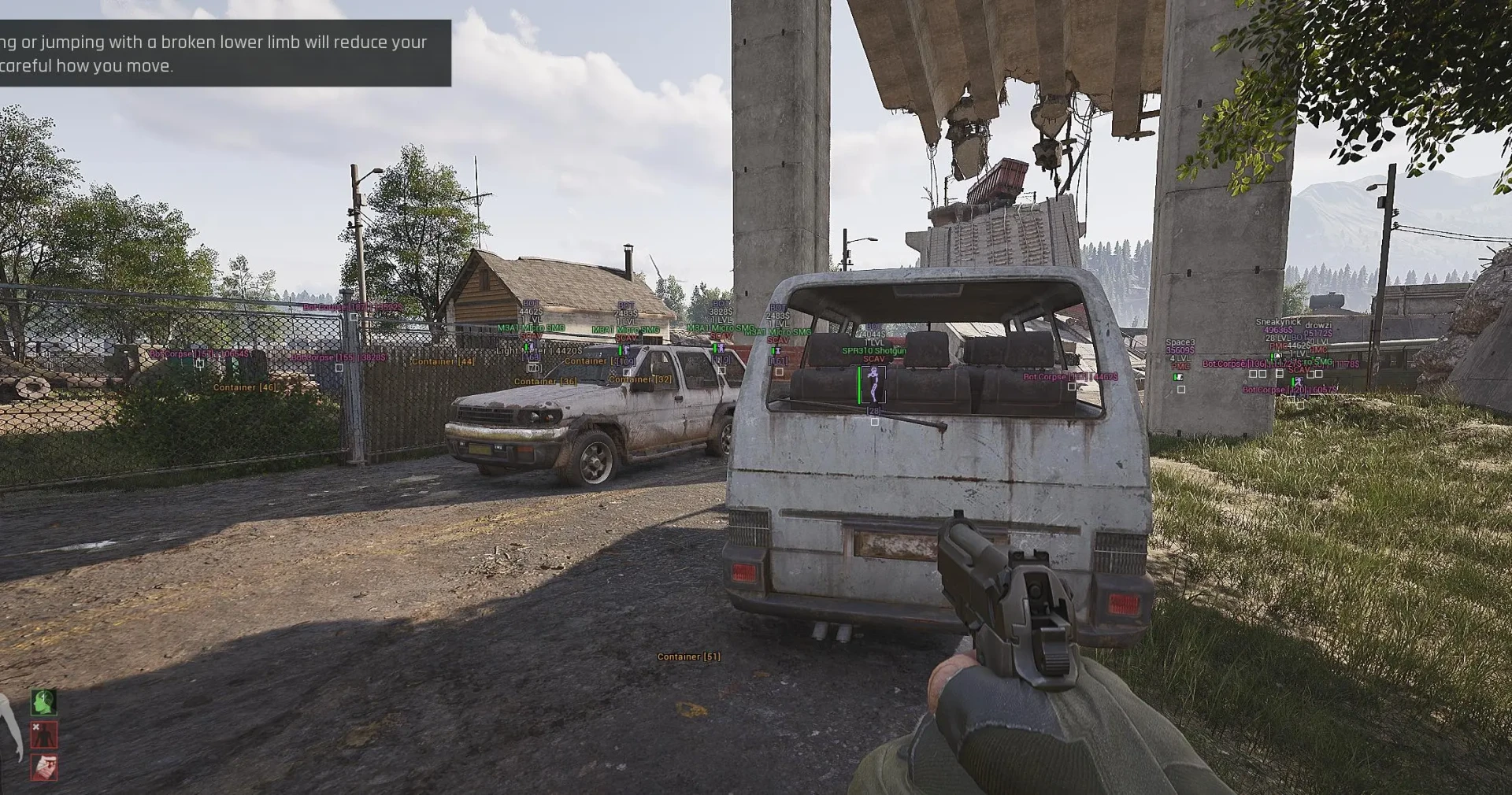
- Player ESP – Highlight players through walls.
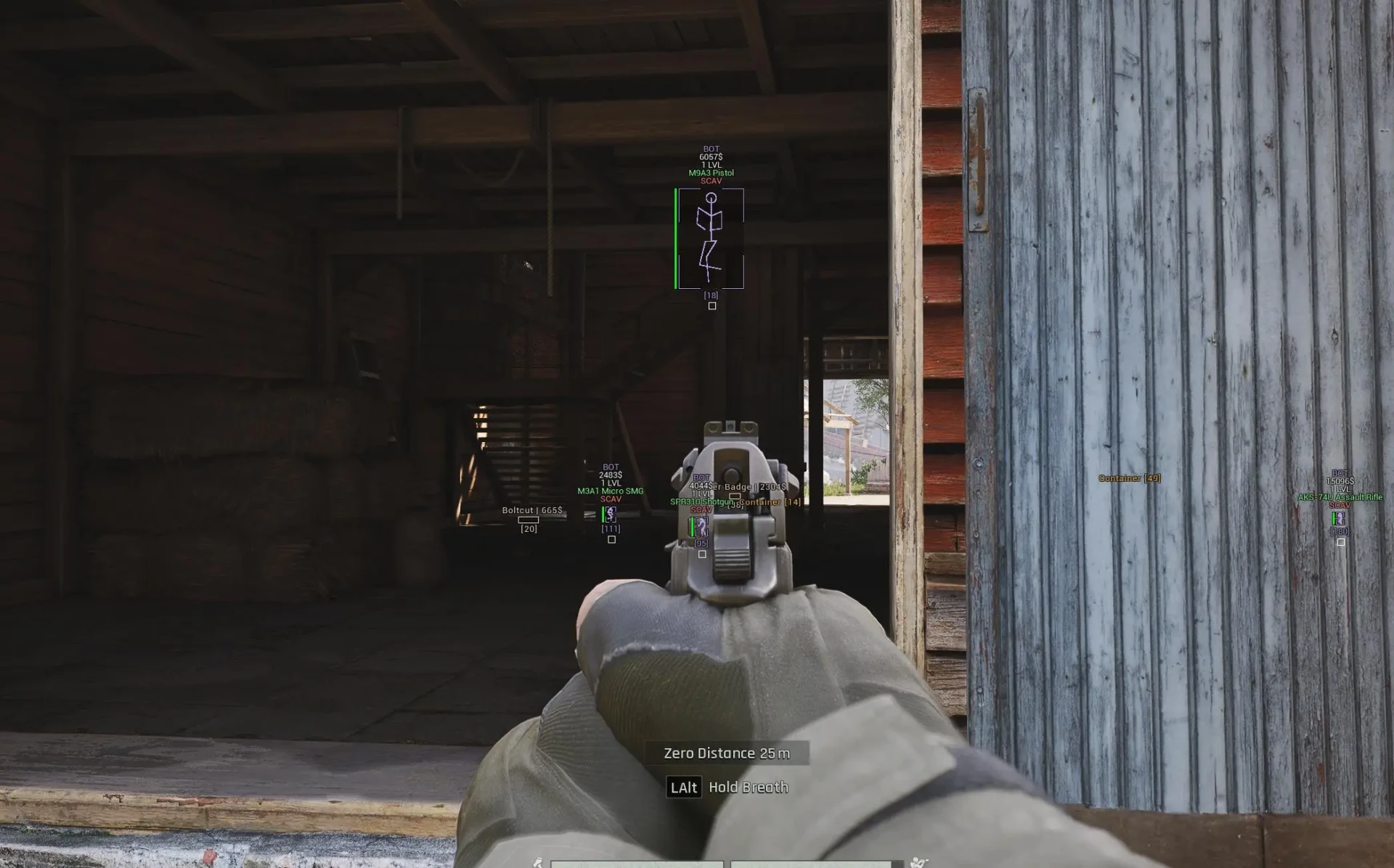
- Box ESP – Show players inside boxes.
- Box Style – Choose box type (2D or cornered).
- Health Bar – Display player health as a bar.
- Inventory View – Show player inventory when aiming at them.
- Nickname – Display player names.
- Distance – Show distance to each player.
- Skeleton ESP – Highlight players with a skeletal overlay.
- Snapline – Draw lines from you to each player.
- Weapon Display – Show the weapon a player is holding.
- Filled Boxes – Fill box backgrounds with a semi-transparent color.
- Level – Display player character level.
- Price – Show total value of a player’s inventory.
- Player Type – Identify BOT, PMC, or SCAV.
- Head Highlight – Highlight player head hitbox.
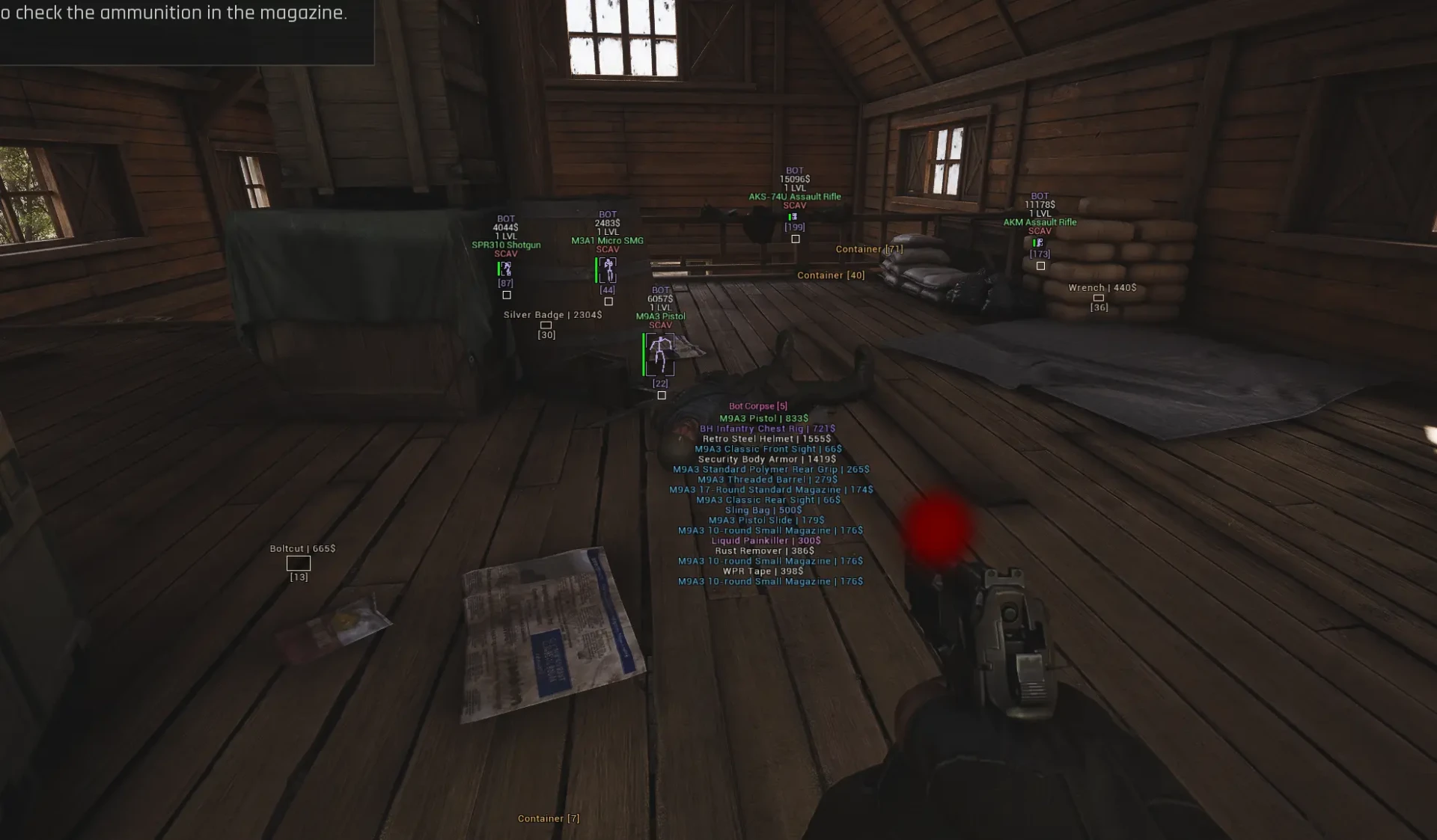
- Corpse ESP – Highlight dead bodies with contents and value.
- Grenade ESP – Highlight active grenades.
- Render Distance – Limit ESP visibility range.
- Custom Colors – Set custom colors for ESP elements.
- Bot ESP – Separate ESP settings for bots.
Loot ESP
- Loot ESP – Highlight lootable items.
- Loot Box ESP – Highlight loot in boxes.
- Box Style – Choose style for loot boxes.
- Filled Boxes – Fill loot box backgrounds with color.
- Item Name – Display loot item names.
- Item Price – Show loot item values.
- Containers – Highlight loot containers.
- Medicine – Highlight healing items.
- Backpacks – Show backpack locations.
- Vests – Highlight tactical vests.
- Weapons – Highlight weapon loot.
- Armor – Highlight armor and clothing.
- Food & Drink – Highlight consumables.
- Ammunition – Highlight ammo types.
- Other Loot – Show miscellaneous loot items.
- Loot/Container Distance – Set ESP range for loot and containers.
- Minimum Price Filter – Hide items below a set value.
- Custom Colors – Customize loot ESP colors.
Miscellaneous Features
- Draw Crosshair – Show a static crosshair in the center of the screen.
- Crosshair Color – Choose static crosshair color.
- No Recoil – Remove weapon recoil.
- No Spread – Eliminate bullet spread for perfect accuracy.